
Most data leaves an organisation through ordinary doors. An employee emails a customer list to a personal address to work over the weekend. A contractor uploads a contract to a free file-conversion site. A laptop with an unencrypted spreadsheet gets left in a taxi.
Data loss prevention (DLP) is the set of policies and tools that spot sensitive data and stop it from leaving through those doors. Done well, it is quiet and useful. Done badly, it blocks legitimate work and gets switched off. This guide is about doing it well.
What is data loss prevention?
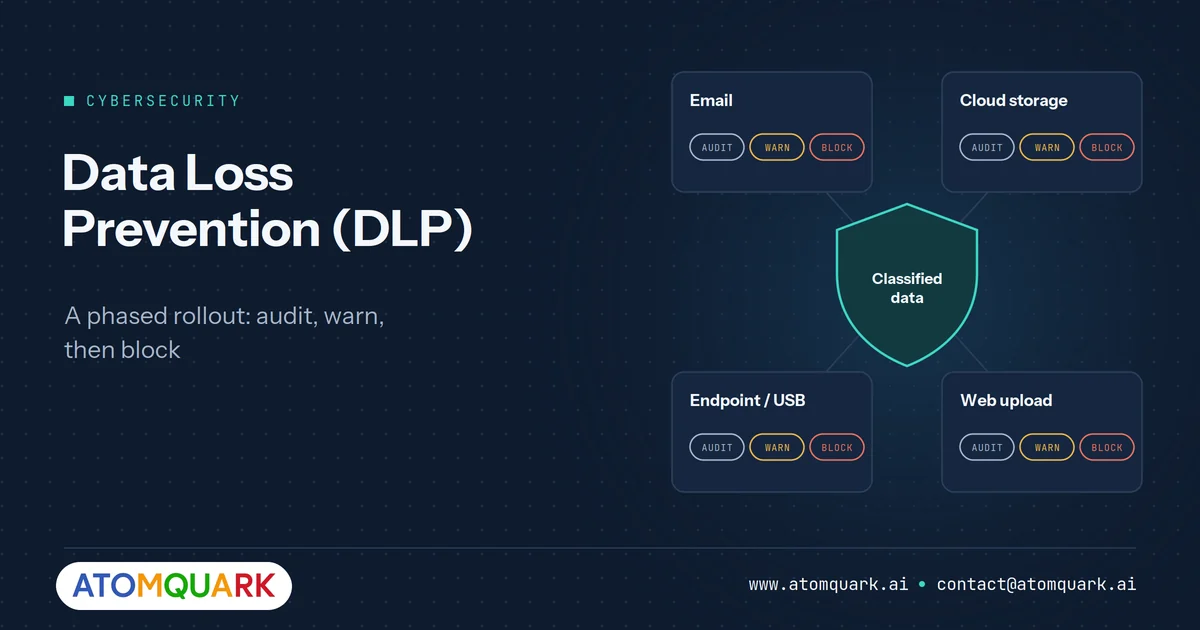
Data loss prevention is a security discipline that identifies sensitive information, monitors how it moves and is used, and enforces policies that audit, warn or block risky actions. DLP covers data at rest (stored), in motion (being sent) and in use (being opened or copied).
Why DLP matters more now
Three pressures make DLP harder to postpone:
- Regulation. India's Digital Personal Data Protection Act, 2023, now operationalised by the DPDP Rules notified in November 2025, sets penalties of up to ₹250 crore for failing to take reasonable security safeguards to prevent a personal data breach. GDPR and sector rules apply similar pressure elsewhere.
- Customer audits. Enterprise buyers increasingly ask for evidence of data protection controls, often through SOC 2 or ISO 27001 reports.
- Cloud and remote work. Sensitive files now live in collaboration apps and on personal devices, outside the old network perimeter.
How DLP works
1. Discover
Find where sensitive data lives: file shares, cloud storage, email, databases and endpoints.
2. Classify
Label data by sensitivity. Classification can be automatic (matching patterns such as PAN or Aadhaar numbers, card numbers or keywords) or applied by users through sensitivity labels.
3. Apply policies
Define what should happen when labelled data moves. For example: warn when a "Confidential" file is shared externally, block "Restricted" data from being copied to USB, encrypt automatically when sent by email.
4. Monitor and respond
Log policy matches, review incidents, and refine rules to cut false positives.
Start with a simple classification scheme
Four levels are enough for most organisations:
- Public — Examples: marketing material, published reports. Typical controls: none.
- Internal — Examples: policies, internal presentations. Typical controls: block public sharing links.
- Confidential — Examples: customer lists, contracts, financials. Typical controls: warn on external share, encrypt in email.
- Restricted — Examples: personal identifiers, health data, credentials, source code. Typical controls: block external share and USB, require justification to override.
More levels look thorough on paper but confuse users and weaken labelling.
DLP policy examples
- Personal data in email: if an outbound email contains more than a set number of national ID or PAN numbers, block and notify the sender.
- Card data: block any file containing payment card numbers from being uploaded to unsanctioned cloud apps.
- USB copy: block copying of Restricted files to removable media on managed devices.
- Personal accounts: warn when Confidential files are emailed to personal domains.
- BYOD: prevent copying data from managed work apps into personal apps on employee phones.
A phased DLP rollout plan
Phase 1: audit only (weeks 1–4)
Turn on policies in monitoring mode. You will learn how data actually moves and where policies would cause false positives.
Phase 2: warn and educate (weeks 5–8)
Switch high-confidence policies to "warn with justification". Users see a message explaining the risk and can proceed with a reason. This builds awareness without stopping work.
Phase 3: block the clear risks (weeks 9–12)
Move the highest-risk, lowest-false-positive policies, such as Restricted data to USB or to personal email, to block.
Phase 4: tune continuously
Review incidents monthly. Fix noisy rules, expand coverage and report trends to leadership.
Handling DLP incidents
Every DLP alert needs a defined path, or alerts accumulate until nobody looks at them. A simple workflow:
- Triage. Check whether the match is a true positive. Many early alerts are false positives caused by over-broad patterns, such as number formats that resemble ID numbers.
- Assess severity. Consider the data type, the volume and the destination. Ten customer records emailed to a known partner is different from a full export uploaded to an unknown site.
- Contact the user. Most incidents are mistakes. A short, non-accusatory conversation fixes the behaviour and often reveals a business need the policy did not anticipate.
- Contain if needed. Revoke sharing links, recall messages where possible, or isolate a device if there are signs of compromise.
- Escalate genuine breaches of personal data to legal and compliance, who will assess notification obligations under laws such as the DPDP Act or GDPR.
- Record and learn. Log the outcome and adjust the policy or user training.
Integrating DLP alerts into a SIEM gives analysts identity and device context alongside the data event, which makes triage much faster.
Measuring DLP effectiveness
Useful measures include:
- Coverage: the share of sensitive repositories, endpoints and cloud apps under DLP policy
- Labelling rate: the share of documents carrying a sensitivity label
- True positive rate: a rising rate means policies are well tuned
- Overrides with justification: a high rate in one team may signal a policy that does not fit how they work
- Time to triage alerts
- Repeat incidents per user, which shows whether education is working
Report trends to leadership quarterly. A falling number of high-severity incidents, alongside rising coverage, is the clearest evidence that the programme is working.
DLP works best as part of Zero Trust
DLP on its own cannot tell a trusted device from a compromised one. It works best when combined with strong identity (SSO and MFA), managed and compliant devices, and central monitoring. Our guides to endpoint MDM and device security, Zero Trust architecture and SIEM and managed detection cover those layers.
Common DLP mistakes
- Blocking from day one. Users find workarounds, and leadership loses patience.
- Classifying everything as confidential. If everything is sensitive, nothing is.
- Ignoring endpoints and mobile. Email and cloud DLP do not stop a USB copy.
- No owner for incidents. Alerts that nobody reviews are just noise.
How SecureShield delivers data protection
Atomquark SecureShield is a fully managed Zero Trust security service structured as 37 modules across 7 phases, aligned with NIST and CISA guidance. Its Data Protection and DLP layer covers data classification and sensitivity labels, DLP policies and BYOD app protection, so data can be classified, encrypted and governed across productivity apps and endpoints. It sits alongside identity and access management, endpoint management, advanced threat protection and a cloud-native SIEM.
Atomquark owns the implementation, so internal IT teams do not have to build DLP expertise from scratch. Organisations that want advisory support first can start with IT consulting and cyber security.
Frequently Asked Questions
What is DLP in cybersecurity?
DLP (data loss prevention) is a set of tools and policies that identify sensitive data and prevent it from being shared, copied or transferred in unauthorised ways.
What are the three types of DLP?
DLP is commonly grouped into network (data in motion), endpoint (data in use on devices) and cloud or storage DLP (data at rest and in cloud apps).
How long does a DLP rollout take?
A phased rollout from audit mode to blocking high-risk actions commonly takes around three months, with continuous tuning afterwards.
Does DLP help with DPDP Act compliance?
DLP supports the Act's requirement for reasonable security safeguards by helping prevent unauthorised disclosure of personal data. It is one control among several and does not on its own make an organisation compliant. Seek legal advice on your specific obligations.
Will DLP slow down employees?
Not if it is rolled out in stages. Starting with audit and warn modes, and blocking only clear risks, keeps disruption low.
Protect data without stopping work
Classify, warn, then block, with an expert team owning the rollout. Schedule a SecureShield assessment to see where your sensitive data is exposed today.