
"Help desk" and "service desk" get used as if they mean the same thing. Vendors blur them, job titles blur them, and most teams only notice the difference when their simple ticket queue starts buckling under requests that are not really problems at all.
The distinction matters when you are buying software or restructuring a support team. Here is a clear breakdown of help desk vs service desk, and a quick way to decide which one you actually need.
The short answer
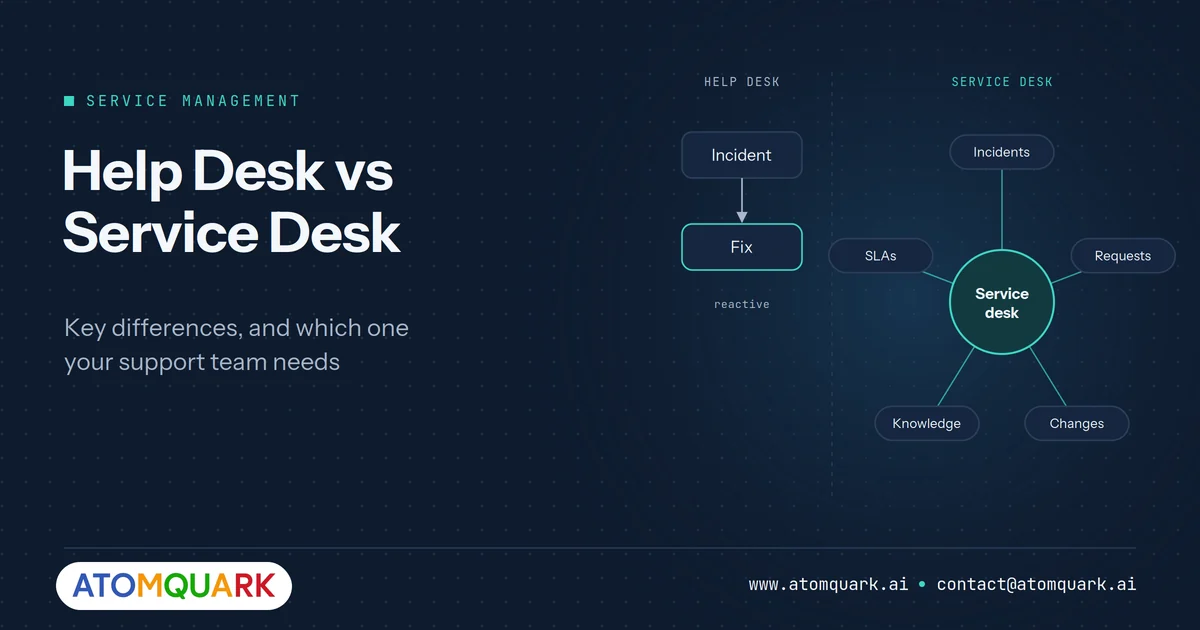
A help desk fixes things that are broken. It is reactive and focused on resolving incidents for end users.
A service desk is the single point of contact between a service provider and its users. It handles incidents too, but also service requests, access, changes, information and communication, and it connects to wider service management processes. The term comes from ITIL, the most widely used IT service management framework.
Put simply: every service desk does help desk work, but not every help desk is a service desk.
Help desk vs service desk: side-by-side
- Core purpose — Help desk: Fix user problems. Service desk: Deliver and support services end to end.
- Approach — Help desk: Reactive. Service desk: Reactive and proactive.
- Typical tickets — Help desk: Incidents ("my laptop won't connect"). Service desk: Incidents, service requests, access, changes, information.
- Process scope — Help desk: Ticket logging and resolution. Service desk: Linked to problem, change, asset, knowledge and SLA management.
- Main metrics — Help desk: First-contact resolution, time to resolve. Service desk: SLA compliance, MTTR, CSAT, request fulfilment time, cost per ticket.
- Who uses it — Help desk: Small teams, single-function support. Service desk: Larger or multi-department organisations.
- Integrations — Help desk: Email, basic knowledge base. Service desk: Identity, HR, asset, monitoring and business systems.
What a help desk does well
A help desk is the right fit when support is mostly break-fix and the volume is manageable.
- Logging and tracking issues in a queue
- Assigning tickets to agents
- Basic knowledge-base articles for common fixes
- First-contact resolution as the main goal
It is quick to set up and easy to run. The trouble starts when the queue fills with things that are not problems: "Please give me access to the finance folder," "New starter on Monday needs a laptop," "Can you change my approval limit?" A pure help desk treats these like incidents, so they get stuck behind outages and nobody can measure them properly.
What a service desk adds
Request fulfilment
Service requests follow a defined catalogue, approval path and fulfilment steps. Access requests and onboarding become repeatable workflows instead of free-text tickets.
SLA management
Different ticket types get different response and resolution targets, with escalation before breaches rather than after.
Connection to problem and change management
Repeated incidents point to an underlying problem. A service desk links them so the root cause gets fixed, not just the symptom each time.
Beyond IT
Modern service desks are increasingly used for HR, facilities, finance and customer support, using the same intake, routing and SLA engine. This is often called enterprise service management.
Where AI changes the comparison
AI has narrowed the gap between the two. Classification, routing and resolution of routine requests used to need a mature service desk team and careful process design. Now much of it can be automated.
- AI triage reads each ticket, sets category and priority, and tags it automatically.
- Smart assignment routes tickets based on skill, workload and urgency.
- Auto-resolution handles repetitive L1 requests such as password resets and standard access queries.
- Proactive SLA alerts escalate before a breach rather than after.
Atomquark SupportDesk is built around this model: one AI-powered platform for IT, HR, customer and field support, with AI triage, auto-assignment, SLA tiers and live CSAT tracking. Atomquark reports that it resolves tickets up to three times faster and handles around 60% of routine tickets automatically. For a deeper look at the mechanics, see our guide to the AI-powered helpdesk.
Which do you need? A five-question checklist
Answer these honestly.
- Are more than a quarter of your tickets requests rather than problems? If yes, you need service desk capabilities.
- Do different ticket types need different response times? If yes, you need SLA management.
- Do the same issues keep coming back? If yes, you need problem management linked to incidents.
- Do HR, facilities or customer teams run their own inboxes for requests? If yes, a shared service desk platform will remove duplicated effort.
- Will an auditor ask for evidence of access approvals or change control? If yes, a help desk alone will struggle to produce it.
If you answered "no" to all five, a help desk is fine for now. Two or more "yes" answers usually mean you have outgrown it.
Moving from help desk to service desk without disruption
Upgrading does not mean a big-bang migration. A staged approach keeps support running while new capabilities come online.
- Analyse your current tickets. Export three to six months of tickets and categorise them as incidents, requests, questions or changes. This shows where structured workflows will help most.
- Build a short service catalogue. Start with the ten most common requests, such as new starter setup, software access, password resets and hardware replacement. Define the form fields, approvals and fulfilment steps for each.
- Set SLA tiers. Agree response and resolution targets per priority and ticket type with the business, not just within IT.
- Connect the knowledge base. Turn the answers agents give repeatedly into articles, and link them to ticket categories so they appear automatically.
- Add automation gradually. Begin with AI triage and routing, then enable auto-resolution for the request types where the AI's decisions match agents' decisions consistently.
- Extend to other teams. Once IT is stable, onboard HR, facilities or customer support onto the same platform with their own catalogues and SLAs.
- Communicate each change to users. A new request portal only reduces email if people know it exists and find it easier than emailing.
Metrics to track either way
Whichever model you run, track a small, stable set of metrics: first-contact resolution, mean time to resolve, SLA compliance, backlog age, reopen rate and CSAT. If resolution time is your biggest pain point, our article on how to reduce MTTR with AI covers seven practical tactics.
Frequently Asked Questions
Is a service desk the same as ITSM?
No. IT service management (ITSM) is the whole discipline of designing, delivering and improving IT services. The service desk is one function within ITSM: the point of contact for users.
Can a small business use a service desk?
Yes. Cloud service desk software scales down well. Small teams benefit most from request catalogues and automation that stop simple requests from consuming agent time.
What is the main difference between a help desk and a service desk?
A help desk focuses on fixing incidents. A service desk is broader: it manages incidents, service requests, SLAs and links to wider service management processes.
Is help desk software being replaced by AI?
AI is automating routine triage and resolution, but human agents remain essential for complex, sensitive or novel issues. The shift is towards agents spending time on harder work.
Which metrics matter most for a service desk?
SLA compliance, mean time to resolve, first-contact resolution, request fulfilment time, reopen rate and customer satisfaction (CSAT).
Move beyond the ticket queue
If your help desk is carrying service desk workload, it is time to upgrade. Request a SupportDesk demo and see AI triage, smart assignment and SLA management on your own ticket types.