A ticketing system is software that turns every request, issue or question into a trackable record, called a ticket, so it can be assigned, prioritised, worked on and closed with a full history. IT teams use them for incidents and service requests, customer support teams use them for customer issues, and HR, facilities and finance teams increasingly rely on them for internal requests. This guide covers how ticketing works, the features that matter, where AI helps and how to choose the right system.
Why teams outgrow email and chat
Shared inboxes and chat groups feel fast at first. As volume grows, the same failures appear:
- Requests get lost, answered twice or answered by nobody.
- Nobody can see how long issues take or which ones are overdue.
- Managers cannot tell which problems repeat, so the root causes never get fixed.
- Knowledge sits in people's heads and leaves when they do.
A dedicated ticketing tool replaces this with one queue, clear ownership and data you can act on.
How a ticketing system works: the ticket lifecycle
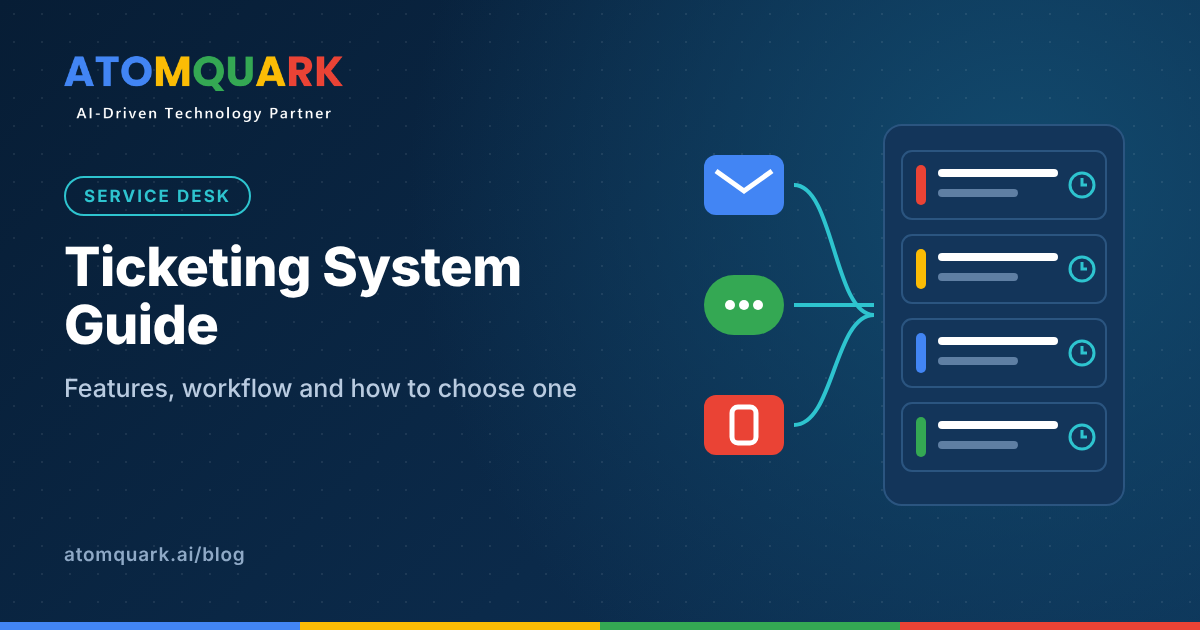
- Capture: a request arrives by email, web form, portal, chat, WhatsApp, phone or an automated alert, and becomes a ticket.
- Classify: the ticket gets a category, priority and impact, either by rules, by AI or by an agent.
- Assign: it is routed to the right team or person based on skills, workload or schedule.
- Work: agents investigate, talk to the requester, link related tickets and escalate if needed.
- Resolve: the fix is applied and the requester is told.
- Close and learn: the requester confirms or rates the outcome, and the solution feeds the knowledge base.
Every step is time-stamped, which is what makes service levels measurable.
Must-have ticketing system features
Multichannel intake
People should be able to raise tickets in the channel they already use. At minimum: email, a web portal and chat. For customer support, messaging apps such as WhatsApp matter in many markets.
Routing and assignment rules
Rules should send tickets to the right queue by category, product, region or customer tier, and balance load across agents.
SLA management
Define response and resolution targets by priority, track them automatically, warn agents before breaches and escalate when targets slip. SLA reports are often what leadership reads first.
Self-service portal and knowledge base
A searchable knowledge base lets users solve common problems without raising a ticket, and helps new agents answer consistently.
Automation
Automate repetitive steps: acknowledgements, reminders, status updates, closure after confirmation and creation of follow-up tasks.
Reporting and dashboards
Track ticket volume, first response time, resolution time, backlog age, SLA compliance, reopen rate and customer or employee satisfaction (CSAT).
Security and access control
Look for single sign-on, multi-factor authentication, role-based permissions, audit logs and the option to separate sensitive queues such as HR.
Integrations and APIs
The system should connect to identity providers, monitoring tools, CRM, ERP, chat tools and asset records, so agents see context without switching screens.
Where AI changes ticketing
AI is now the most important difference between ticketing products. Useful capabilities include:
- Auto-triage: reads the ticket and sets category and priority. Benefit: faster, more consistent routing.
- Suggested replies: drafts answers from past tickets and knowledge articles. Benefit: shorter handling time.
- Auto-resolution: resolves routine requests, such as password resets, end to end. Benefit: fewer tickets reach agents.
- Summarisation: condenses long threads for handover or escalation. Benefit: less time reading history.
- Sentiment and urgency detection: flags frustrated customers or high-risk issues. Benefit: earlier intervention.
- Knowledge gap detection: spots frequent questions with no article. Benefit: better self-service over time.
AI works best when it is grounded in your own knowledge base and ticket history, and when agents can see why it made a suggestion. Keep a human in the loop for decisions with financial, security or customer impact.
Types of ticketing tools
- IT service desk: incidents, service requests, changes and assets, often aligned with ITIL practices.
- Customer support help desk: customer emails, chats and calls, with customer history and CSAT.
- Internal enterprise service desk: HR, finance, facilities and legal requests in one portal.
Many organisations now want one platform for all three, with separate queues and permissions.
How to choose a ticketing system: a checklist
- Map your request types and volumes. Know what comes in, from where and how fast it must be handled.
- Define SLAs and reports first. Choose a system that can measure what you need to report.
- List your integrations. Identity, monitoring, CRM and ERP connections often decide the shortlist.
- Test AI on your own data. Run a pilot with real tickets and measure triage accuracy and deflection.
- Check deployment options. Some organisations need private or on-premise deployment for data control.
- Look at total cost. Per-agent pricing, AI add-ons and integration effort all add up.
- Plan the migration. Decide which historical tickets and articles to move and how to clean them.
Off-the-shelf or tailored?
Large SaaS help desks offer many features, but cost rises per agent and deep customisation can be limited. Organisations with specific workflows, data residency needs or integration-heavy environments often prefer a platform that can be configured and deployed privately.
Atomquark's AI ticketing system, SupportDesk, offers AI triage, auto-assignment with SLAs, CSAT tracking, SSO and MFA, and SaaS or private deployment. It runs in production at HMD Global, as described in the HMD Global case study. Teams that want to add chatbots on WhatsApp, Freshdesk or voice can extend it through Atomquark's AI as a Service, and unique workflows can be built by its custom software development team.
Common rollout mistakes
- Copying every old category into the new system instead of simplifying.
- Launching without a knowledge base, so self-service fails on day one.
- Setting SLAs nobody can meet, which trains teams to ignore them.
- Turning on AI auto-resolution before testing it on real tickets.
Frequently asked questions
What is a ticketing system?
It is software that records every request or issue as a ticket so it can be assigned, prioritised, tracked against service levels and closed with a full history.
What is the difference between a ticketing system and a help desk?
The ticketing tool is the core engine that manages tickets. A help desk usually adds a knowledge base, self-service portal, reporting and customer-facing features around it.
What are the key features to look for?
Multichannel intake, routing rules, SLA management, a knowledge base, automation, reporting, security controls and integrations.
How does AI improve ticket handling?
AI can classify and route tickets, suggest replies, resolve routine requests automatically, summarise long threads and highlight knowledge gaps.
Can a ticketing system be used outside IT?
Yes. HR, finance, facilities and legal teams use them to manage internal requests with the same tracking and service levels as IT.
The right platform gives every request an owner, a deadline and a history, then uses that data to prevent the next request. Choose on intake channels, SLAs, integrations and AI that has been tested on your own tickets.
Want to see AI-powered ticketing in action? Request a SupportDesk demo from Atomquark, the AI-driven technology partner for service operations.