
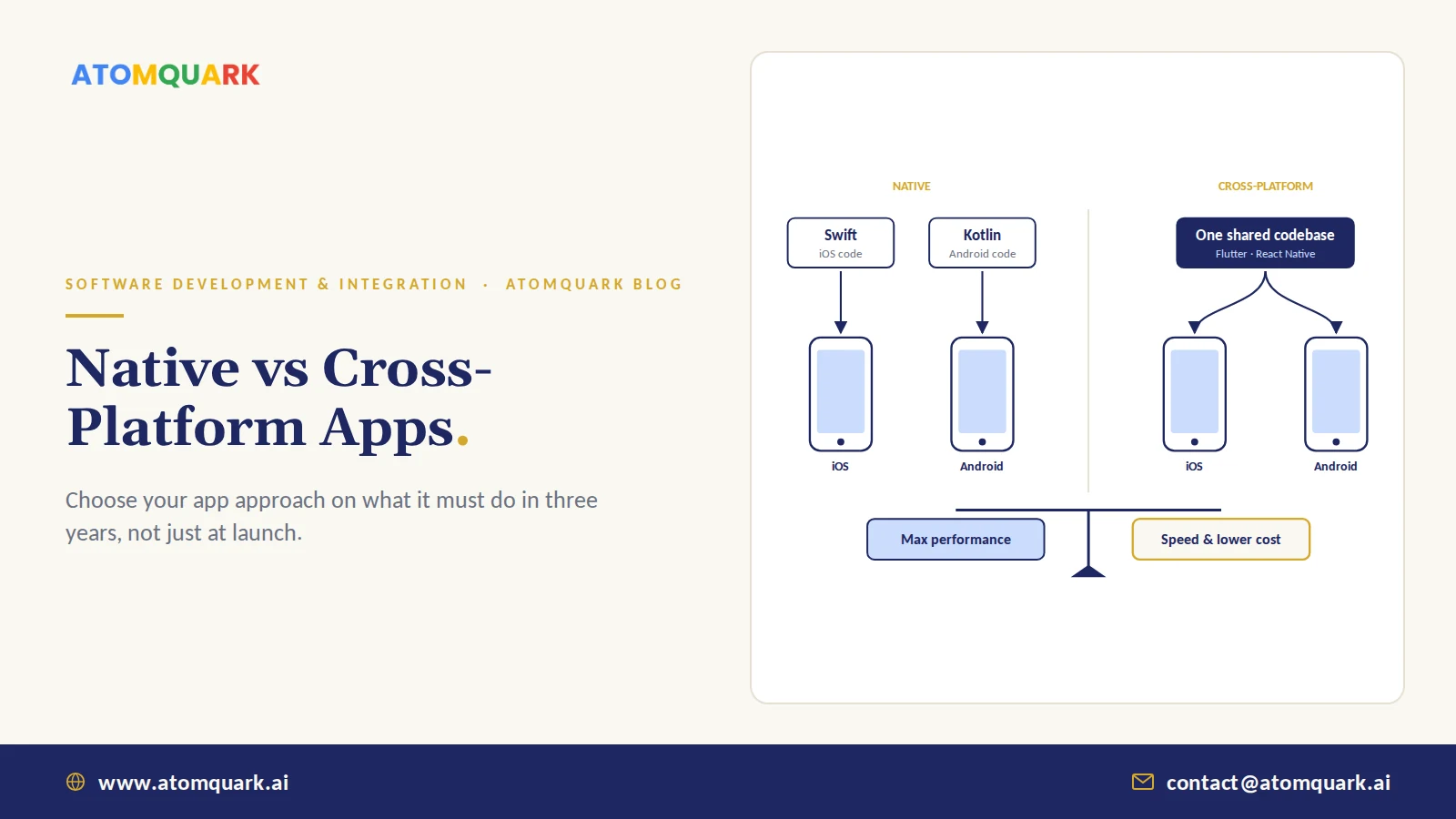
The native vs cross-platform app development decision comes down to this: native apps are built separately for each platform (Swift or SwiftUI for iOS, Kotlin for Android) and get the best performance and deepest device access. Cross-platform apps share one codebase across iOS and Android using frameworks such as Flutter or React Native, which usually means faster delivery and lower cost, with some trade-offs at the edges.
For most business apps today, cross-platform is good enough, and often better value. But "most" isn't "all," and picking wrong is painful. Rebuilding an app eighteen months in because it can't do what the business now needs is one of the more expensive mistakes in software.
Here's how to decide with your eyes open.
Quick verdict: Choose cross-platform for typical business, commerce and internal apps. Choose native when performance, heavy device hardware use or platform-first experiences are central to the product.
What Is Native App Development?
Native development uses each platform's own languages and tools: Swift and SwiftUI with Xcode for iOS, Kotlin and Jetpack Compose with Android Studio for Android. You maintain two codebases, usually with two skill sets.
Strengths: best performance and responsiveness, immediate access to new OS features, full access to hardware such as cameras, Bluetooth, sensors and background processing, and the most platform-authentic look and feel.
Trade-offs: roughly double the build and maintenance effort, and the risk of features drifting apart between platforms.
What Is Cross-Platform App Development?
Cross-platform frameworks let one team write most of the code once:
- Flutter (Dart language) draws its own UI, giving consistent visuals across platforms and strong performance.
- React Native (JavaScript/TypeScript) uses native UI components and suits teams with web and React skills.
- Kotlin Multiplatform shares business logic while keeping native UIs, a middle path.
- .NET MAUI suits organisations already invested in .NET and C#.
Strengths: one codebase, faster time to market, lower cost, consistent features.
Trade-offs: occasional lag behind new OS features, some native code still needed for advanced hardware, and a dependency on the framework's roadmap.
Native vs Cross-Platform App Development: Side-by-Side
- Codebases — Native: two (iOS and Android). Cross-platform: one shared (plus small native parts).
- Time to market — Native: slower. Cross-platform: faster.
- Build and maintenance cost — Native: higher. Cross-platform: lower.
- Performance — Native: best. Cross-platform: very good for most apps.
- Access to newest OS features — Native: immediate. Cross-platform: sometimes delayed.
- Heavy hardware use (AR, BLE, background) — Native: strongest. Cross-platform: possible, often with native modules.
- Team skills needed — Native: Swift and Kotlin. Cross-platform: one framework (Dart, JS/TS, C#).
- UI consistency across platforms — Native: platform-specific. Cross-platform: consistent by default.
When to Choose Native
- Graphics-heavy apps, games or AR experiences.
- Apps that depend on sustained background processing, Bluetooth peripherals or advanced camera control.
- Products where being first to new iOS or Android features is part of the value.
- Very large consumer apps where small performance gains affect revenue.
When to Choose Cross-Platform
- Business, e-commerce, booking and content apps.
- Internal enterprise apps: field service, approvals, attendance, inventory.
- MVPs where speed and budget matter more than platform polish.
- Teams that want one product team instead of two.
Enterprise examples fit this pattern. Atomquark's Inventory & MRO software gives technicians barcode scanning from any Android or iOS device on the plant floor, a typical business workflow. Our post on offline-first software for industrial environments explains why offline capability often matters more than the framework choice.
Other Factors That Matter More Than People Expect
Offline capability and sync
Field and factory apps lose connectivity. Design local storage and conflict-free sync from the start, whichever framework you pick.
Security
Enterprise apps need secure storage, certificate pinning where appropriate, SSO and MFA, and device management support. Apps used on company devices should work with your endpoint MDM policies.
Backend and integrations
The app is often the smallest part of the system. APIs, authentication and integrations with ERP or CRM decide most of the cost and risk, so plan your API integration strategy alongside the app.
Maintenance over five years
OS updates arrive every year. Budget for ongoing updates, testing and store compliance, and see our test automation strategy guide for how to keep releases safe.
A Quick Decision Checklist
Answer yes or no:
- Does the app rely on advanced hardware or background processing?
- Is top-tier graphics or animation performance core to the product?
- Must you ship new OS features on launch day?
- Do you have, or plan to fund, separate iOS and Android teams long term?
Mostly "no"? Cross-platform is very likely the right call. Two or more "yes"? Seriously consider native, or a hybrid with shared logic and native UI.
Still weighing whether to build at all? Read custom software vs off-the-shelf first.
Practical Example: Three App Briefs, Three Decisions
Applying the checklist to three illustrative briefs:
- A field-service app for 400 technicians. Job lists, photos, signatures, barcode scanning, offline use in basements and plant rooms. No advanced graphics, standard camera use. Decision: cross-platform, with careful offline storage and sync design, and native modules only if a specific scanner device needs them.
- A D2C brand's shopping app. Catalogue, cart, payments, push notifications, order tracking. Speed to market matters ahead of a festive season. Decision: cross-platform. Most of the effort goes into the backend, payments and analytics anyway.
- A wearable companion app. Continuous Bluetooth connection to a medical-grade sensor, background data collection, tight battery constraints, health-platform integrations on both iOS and Android. Decision: native, or at minimum native modules for Bluetooth and background processing with careful testing on many devices.
Notice that two of three common business briefs land on cross-platform. The third goes native because the device hardware is the product. That ratio roughly matches what we see in enterprise and commerce projects.
Conclusion
The framework debate gets more attention than it deserves. For most business apps, cross-platform delivers faster and costs less, with performance users won't notice. Native earns its premium when hardware, graphics or platform-first features are central. Decide based on what your app must do in three years, not just at launch.
Atomquark's custom software development team builds native and cross-platform Android and iOS apps with the backend, security and integrations behind them. Get a mobile app architecture recommendation for your project.
Frequently Asked Questions
Is cross-platform app development cheaper than native?
Usually, yes. Sharing one codebase across iOS and Android reduces build and maintenance effort compared with two separate native apps, although complex hardware features can narrow the gap.
Is Flutter or React Native better?
Both are mature. Flutter offers consistent UI and strong performance using Dart. React Native suits teams with JavaScript or React skills and uses native UI components. The best choice depends on your team and requirements.
Do cross-platform apps perform worse than native apps?
For most business and commerce apps, users will not notice a difference. Native apps retain an advantage in graphics-intensive, hardware-heavy or highly performance-sensitive applications.
Can a cross-platform app access the camera, GPS and Bluetooth?
Yes. Frameworks provide plugins for common hardware such as camera, GPS and Bluetooth. Advanced or unusual hardware features may require writing some native code.
Can I switch from cross-platform to native later?
Yes, but it usually means rebuilding the app front end. A clean separation between the app and its backend APIs makes any later switch much less costly.
How long does it take to build a mobile app?
A focused MVP often takes two to four months. Enterprise apps with integrations, security requirements and offline support typically take four to nine months, depending on scope.