
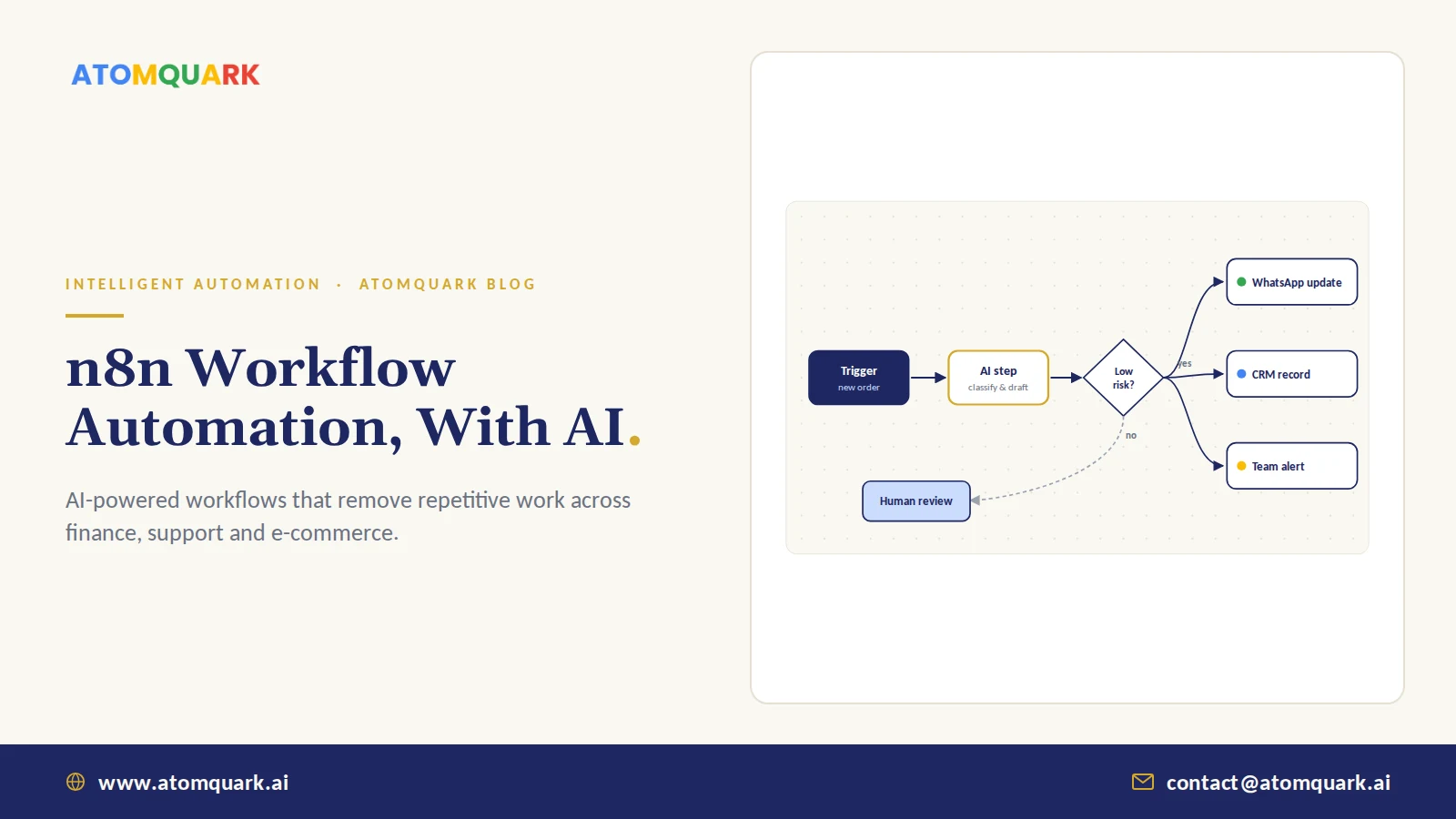
n8n workflow automation means connecting your business apps and data into automated, multi-step processes using n8n, a node-based automation platform that can be self-hosted or used in the cloud. Each workflow starts with a trigger (a new order, a form submission, a schedule) and runs a chain of actions, which can now include AI steps that read, classify, summarise or decide.
Teams usually discover n8n after outgrowing basic, point-and-click automation. They want branching logic, custom code, data that stays on their own servers, or pricing that doesn't climb with every task. That's n8n's niche, and it has become a popular way to put AI models to work inside everyday processes.
Here's how it works, where it fits, and where it doesn't.
Short answer: n8n suits teams that want flexible, developer-friendly automation with AI steps and the option to self-host. If you need only a few simple connections and have no technical staff, have a partner set it up and run it for you.
What Is n8n?
n8n (pronounced "n-eight-n") is a workflow automation platform where you build processes visually by linking nodes. It has hundreds of integrations, supports custom JavaScript or Python inside workflows, and can call any API. Its source is available under a fair-code licence, which allows self-hosting for your own internal business use, with paid cloud and enterprise editions available.
Core building blocks
- Triggers: webhooks, schedules, app events (new email, new row, new order).
- Action nodes: create, update or fetch records in apps such as CRMs, spreadsheets, helpdesks and messaging tools.
- Logic nodes: if/else branches, loops, merges and error handling.
- Code nodes: custom logic when no pre-built node exists.
- AI nodes: LLM calls, AI agents with tools, embeddings and vector stores.
How AI Changes Workflow Automation
Traditional automation moves structured data between systems. It struggles the moment input is messy: a free-text email, a scanned invoice, a customer complaint. AI steps handle that mess.
A typical AI-assisted workflow:
- Trigger: a customer email arrives.
- AI step: classify intent (refund, order status, complaint) and extract order number.
- Lookup: fetch the order from the e-commerce platform.
- AI step: draft a reply grounded in order data and your policies.
- Decision: low-risk cases send automatically; others go to a human for approval.
- Log: record the outcome in the CRM.
When the AI step becomes a goal-driven loop that chooses its own tools, you've moved into agentic AI. n8n supports both patterns, which makes it useful for starting simple and adding autonomy later.
Real n8n Use Cases by Department
E-commerce and D2C order lifecycle
Atomquark's digital marketing and e-commerce team uses n8n-powered order workflows: automatic WhatsApp order confirmation, delivery tracking, a review request after delivery and a replenishment nudge timed to when the customer is likely to run out. We cover the messaging side in WhatsApp automation for D2C e-commerce.
Customer support triage
Classify incoming messages, enrich with account data, route to the right queue, and suggest replies. For high-volume support, a dedicated AI support desk adds SLA management and reporting that a workflow tool won't.
Finance and operations
Extract invoice fields from PDFs, match to purchase orders, flag exceptions, and post approved entries to accounting.
Sales and marketing
Enrich new leads, score them with an AI step, assign to reps, and trigger personalised follow-ups.
Internal IT and HR
Employee onboarding checklists, access requests with approvals, and weekly report generation.
When n8n Is the Right Fit
- Workflows need branching logic and custom code — Fit: strong. Logic and code nodes handle complex rules.
- Sensitive data must stay on your servers — Fit: strong. Self-hosting keeps data in your environment.
- You want AI steps or agents inside processes — Fit: strong. Built-in LLM, agent and vector store nodes.
- A few simple app-to-app links, no technical staff — Fit: moderate. Works well, but a partner should set it up and maintain it.
- Mission-critical, very high-volume transactions — Fit: depends. Design for queues, scaling and monitoring from day one.
The deciding factor is usually ownership: who designs, monitors and maintains the workflows once they're live.
Self-Hosted vs n8n Cloud
Self-hosting keeps data on your infrastructure, which matters for regulated industries and for workflows touching personal data. It also means you own updates, backups, scaling and security, including access control and secret management. Treat it like any production system and apply the same identity and access management standards.
n8n Cloud removes the operations burden. It's the faster start for teams without DevOps capacity.
n8n Workflow Automation Best Practices
- Map the process first. Automating a messy process scales the mess. Lean process mapping, the kind described in our Lean Six Sigma for IT post, comes first.
- Build error handling into every workflow. Retries, alerts and a dead-letter path for failures.
- Keep humans on irreversible actions. Refunds, payments and customer-facing messages in sensitive cases.
- Version and document workflows. Export them to Git; name nodes clearly.
- Watch AI costs. Route simple AI steps to cheaper models, see LLM cost optimization.
Practical Example: Automating Supplier Invoice Intake
Here's an illustrative workflow for a finance team receiving 1,500 supplier invoices a month by email, in different PDF layouts.
Before: two people download attachments, type fields into the accounting system, chase missing PO numbers by email, and flag duplicates by memory.
The n8n workflow:
- Trigger: new email in the invoices mailbox with a PDF attachment.
- AI extraction: a language model reads the PDF and returns supplier, invoice number, date, amount, tax and PO number as structured JSON.
- Validation: a code node checks totals add up and the invoice number isn't already in the system.
- PO match: an API call to the ERP confirms the PO exists and the amount is within tolerance.
- Branch: clean matches go to the accounting system as drafts; exceptions go to a review queue with the AI's notes.
- Notify: a daily summary to the finance channel with counts and exceptions.
People still approve postings, and they now spend their time on exceptions rather than typing. Treat the extraction step's accuracy as a metric: sample outputs weekly, and tighten prompts or switch models where it misreads layouts.
n8n is a strong choice when you need flexible automation, real logic, AI steps and the option to keep data in-house. Start with one process that wastes visible hours each week, add AI where inputs are messy, and keep a human in the loop where mistakes are costly.
Atomquark builds AI-powered automations as part of its AI as a Service intelligent automation practice. Get your first automation workflows built and see the hours come back.
Frequently Asked Questions
What is n8n used for?
n8n is used to automate business processes by connecting apps, databases and APIs into workflows. Common uses include order processing, lead routing, support triage, report generation and AI-powered document and email handling.
Is n8n free for commercial use?
n8n's self-hosted Community Edition can be used free of charge for internal business purposes under its Sustainable Use License. Offering n8n as a service to others or using enterprise features requires a paid licence. Check the current licence terms for your case.
Do I need developers to use n8n?
Simple workflows can be built visually without coding. Complex automations with custom logic, API integrations, AI agents and self-hosted infrastructure benefit from developer or partner support for design, security and maintenance.
Can n8n build AI agents?
Yes. n8n includes AI agent nodes that can use a language model, call tools such as APIs or databases, and keep memory within a workflow, alongside nodes for embeddings and vector stores.
Should I self-host n8n or use n8n Cloud?
Self-host if you need data to stay on your own infrastructure and have the capacity to manage updates and security. Use n8n Cloud if you want a faster start without operating servers.
Can n8n send WhatsApp messages?
Yes. n8n can connect to the WhatsApp Business Platform directly or through providers, enabling automated order confirmations, delivery updates and other approved message templates.